
How to read a Meta ads report without a spreadsheet
Ads Manager can show hundreds of columns. Four of them are enough for most weekly decisions, if you read them at the right level and over the right dates.
On this page · 6 sections
To read a Meta ads report without a spreadsheet, keep four columns: amount spent, cost per result, link click-through rate and frequency. Amount spent tells you how much weight each row deserves. Cost per result is the only one that speaks in money, so it makes the decision. Click-through rate shows whether the hook works, and frequency shows how often the same people have seen it. Read them at the ad set level to compare audiences, and at the ad level to compare creatives, never only at the campaign level, where averages hide the difference. Compare the last 7 days with the 7 days before, keep the same attribution setting from one read to the next, and ignore day-to-day swings. With those four numbers you can decide whether a row gets more budget, less budget or new creative. Everything else in the report is for diagnosis, once you know something needs one.
TL;DR
- Four columns cover most decisions: amount spent, cost per result, link CTR and frequency.
- Read ad sets to compare audiences and ads to compare creatives. Campaign averages hide both.
- Compare the last 7 days with the 7 days before, with the same attribution setting each time.
- Meta’s reporting data can keep updating for a couple of days after an ad ends.
- Adwize answers questions about your results in plain words, from live Meta data.
Why is a Meta ads report so hard to read?
Because it shows everything at once and waits for you to know what to ask. Ads Manager can display hundreds of columns, the numbers shift with the date range, and nothing tells you which one to read first. The problem is rarely missing data. It is too much of it.
Meta’s own reporting API describes three things you choose in every request: the parameters, such as the time range and attribution window, the fields, which are the metrics, and the breakdowns. Ads Manager asks you the same three questions, only through menus.
Most weekly decisions need very little of that. You want to know where the money went, whether it brought results at a price you accept, and what to change on Monday. Four columns answer that. The rest helps once you have found something worth investigating.
Which four columns should you read first?
Read amount spent, cost per result, link click-through rate and frequency, in that order. Spend gives each row its weight, cost per result makes the decision, and the last two explain it. A dramatic swing on a row that spent almost nothing is not a signal.
Meta defines cost per result as the average cost per result from your ads. It is your cost per purchase if you sell online, your cost per lead if you collect leads. Link click-through rate is the share of impressions that led to a link click, so it tells you whether the hook earns attention.
Frequency is the average number of times each person saw your ad. When it climbs while click-through rate falls, the same people are tiring of the same message.
| Column | What it measures | What it tells you |
|---|---|---|
| Amount spent | Money spent over the period | How much weight the row carries |
| Cost per result | Average cost of each result | Whether the row is worth its budget |
| Link CTR | Share of impressions with a link click | Whether the hook works |
| Frequency | Average views per person | Whether people see it too often |
At which level should you read your results?
Read at the ad set level to compare audiences and at the ad level to compare creatives. The campaign level is useful for totals, but its averages blur the rows beneath it: a strong ad and a weak ad add up to a middling average, and you see neither.
Meta reports results at four levels: the ad account, the campaign, the ad set and the ad. Each level answers a different question, and each question has a different fix.
If one ad set costs more per result than another with the same creatives, the difference is the audience. If one ad costs more than its neighbors in the same ad set, the difference is the creative. You do not refresh an audience, and you do not retarget a creative.
- Campaign: read the totals
- Ad set: compare audiences
- Ad: compare creatives
Which date range should you compare?
Compare the last 7 days with the 7 days before. A week includes a weekend, smooths out a slow day and is short enough to act on. Meta’s reporting offers the last 7 days as a standard preset, so the comparison is easy to repeat every week.
Avoid day-over-day readings, where noise beats signal, and hour-by-hour checks, which measure little beyond your nerves. One bad afternoon rarely means anything.
Two details keep the comparison honest. Meta reports results in the ad account’s time zone, so a day in the report may not match your calendar day. And its documentation notes that metrics may continue to update for a couple of days after an ad has completed, so a finished ad’s numbers are not final the next morning.
Why does the attribution setting matter?
Because it decides which results are counted, and changing it midway breaks every comparison. In Meta’s reporting API, the default attribution window counts results within 7 days of a click or 1 day of a view. Pick one setting and keep it for every read.
A longer window credits more results to your ads, a shorter one fewer. Neither is wrong. What goes wrong is comparing a week read with one window against a week read with another, then concluding that performance moved.
The same goes for the columns themselves. If you compare cost per result this week with cost per click last week, the numbers tell you nothing. Write down the four columns and the setting once, and read the same way each time.
How can you get answers without building a spreadsheet?
Ask the question directly instead of building the table. What you want to know usually fits in one sentence: why did my cost per lead go up this week, which ad is dragging results down, what should I change on Monday. The answer matters more than the export.
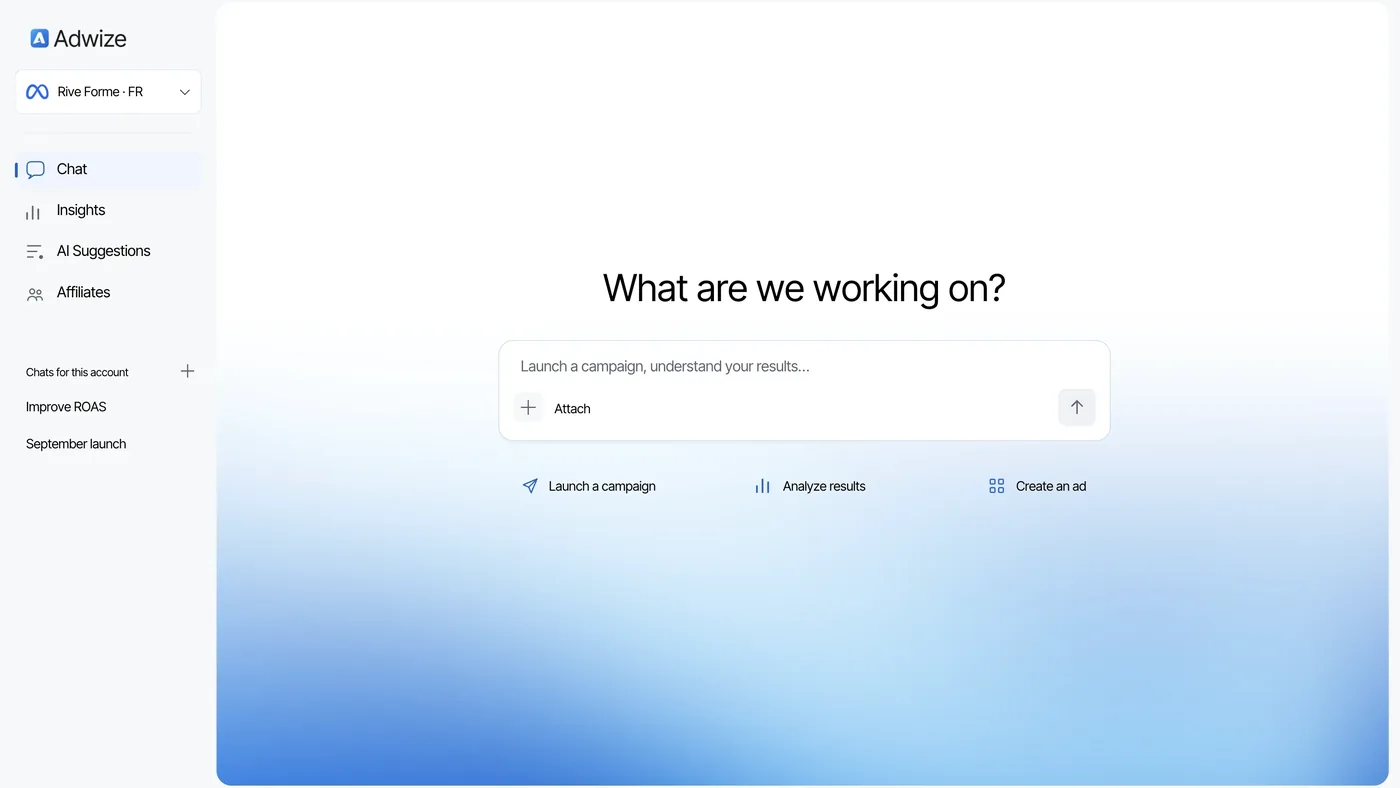
That is how Adwize reports work. The numbers come straight from Meta, live, with no copy-paste. Your week reads in three sentences: what you spent, what it made, what to fix. You can ask why and see which ad moved the numbers. The Report page shows the three steps.
Each fix comes as a suggestion you approve or reject. On Growth, client reports carry your brand, ready to send once you have reviewed them. To try it on your own account, start a free trial.
Frequently asked questions
What is a good CTR for Meta ads?
There is no number worth trusting across accounts, offers and placements. Compare an ad’s click-through rate with its own earlier weeks and with other ads in the same ad set.
What is the difference between reach and impressions?
Reach is the number of accounts that saw your ads at least once. Impressions count every time your ads were on screen, including repeat views by the same people.
What does frequency mean in Meta Ads?
It is the average number of times each person saw your ad. Meta notes that the metric is estimated. Read it next to click-through rate, not alone.
Why do my Meta results change after the fact?
Meta’s documentation says insights refresh every 15 minutes and may keep updating for a couple of days after an ad ends. Wait before judging a finished ad.
Do I need Ads Manager to read my results with Adwize?
No. You ask in plain words and get the answer from live Meta data, with the ad or ad set that explains it.
Sources
- Meta Marketing API: Ads InsightsAccessed 09/24/2026
- Meta Marketing API reference: Ad Account InsightsAccessed 09/24/2026
- Meta Marketing API: Insights limits and best practicesAccessed 09/24/2026
- Meta Horizon OS Developers: Understanding and optimizing your ad campaignAccessed 09/24/2026
