
Meta Ads MCP: How to Connect Claude or ChatGPT to Your Meta Ads (2026)
What Meta’s official ads MCP server does, how to connect it step by step, and when an AI agent fits better. Facts from Meta’s own pages, read on September 24, 2026.
On this page · 10 sections
- What is Meta Ads MCP?
- Is Meta Ads MCP official?
- What can Meta Ads MCP do?
- How do you connect Meta Ads MCP to Claude?
- How do you connect Meta Ads MCP to ChatGPT?
- Which other AI clients work with Meta Ads MCP?
- Is Meta Ads MCP safe for your ad account?
- What are the limits of Meta Ads MCP?
- How much does Meta Ads MCP cost?
- Meta Ads MCP, Pipeboard or Adwize: which should you use?
Meta Ads MCP is Meta’s official Model Context Protocol server, in open beta since April 29, 2026, that lets an AI assistant such as Claude, ChatGPT or Perplexity read and manage your Meta ad account in plain language. Meta hosts it at https://mcp.facebook.com/ads. You add that address as a custom connector in your AI client, sign in with Facebook and approve the permissions. Meta’s documentation lists tools for reporting, campaigns, ad sets and ads, custom audiences, catalogs, pixels and signal quality, A/B tests, lift studies and the account activity log. Campaigns, ad sets and ads it creates start paused, and actions taken on your behalf need your authorization in the agent. Meta lists no fee for the server, though your AI client may need a paid plan. It is a raw connector, built for developers and hands-on media buyers. An agent like Adwize prepares whole campaigns for you and waits for your approval before anything spends.
TL;DR
- Meta Ads MCP is Meta’s own server at mcp.facebook.com/ads, in open beta since April 29, 2026.
- Meta’s help page names four supported agents: ChatGPT, Claude, Claude Code and Perplexity.
- Meta’s docs list 91 tools in seven groups, from reporting and campaign creation to catalogs, pixels, A/B tests and activity logs.
- New campaigns, ad sets and ads start paused, and business portfolio admins can block actions or cap budgets with ads MCP server rules.
- Pick the MCP to build your own workflow in Claude or ChatGPT. Pick an agent like Adwize to get campaigns prepared and approved before spend.
Adwize publishes this guide and sells an AI agent for Meta ads. Facts about Meta Ads MCP come from Meta’s pages, facts about Pipeboard from Pipeboard’s, read on September 24, 2026.
What is Meta Ads MCP?
Meta Ads MCP is a Meta-hosted server that lets an AI agent manage Meta ads for you. MCP, the Model Context Protocol, is an open standard created by Anthropic that lets AI apps call outside tools. Meta’s server turns your ad account into tools your assistant can call, grounded in your real account data.
It belongs to a family Meta calls ads AI connectors, next to the Ads CLI, a command-line tool for developers and scripts. You type a request such as “List my ad accounts”, and the assistant picks the right tools, reads the answers and replies.
- Your AI app (Claude, ChatGPT…)
- MCP, the open protocol
- Meta’s server
- Your ad account
Is Meta Ads MCP official?
Yes. Meta built it, hosts it at https://mcp.facebook.com/ads and documents it on developers.facebook.com. Meta announced its ads AI connectors in open beta on April 29, 2026, for businesses of all sizes, and said the MCP needs no developer credentials or coding.
On July 16, 2026, Meta opened the server to any AI application through your own Meta developer app, and added rules that let admins control what agents may do. Access rolls out gradually, so you may not have every tool yet.
Third-party servers use the same name, such as pipeboard-co/meta-ads-mcp on GitHub, an independent project. Only mcp.facebook.com/ads is Meta’s own.
What can Meta Ads MCP do?
It covers most of what you do in Ads Manager. Meta groups its tools into seven categories, and on September 24, 2026 the category pages listed 91 distinct tools (our count). Some only read, like reports. Others write, like creating campaigns or audiences.
- Reporting: spend, impressions, CTR, CPC, CPM and conversions with breakdowns, plus opportunity score, anomalies, trends and industry benchmarks.
- Ads: campaigns, ad sets and ads created paused, single-image creatives, previews, Ad Library search and boosted Instagram posts.
- Custom audiences: create, update and delete them, lookalikes included.
- Catalogs: products, product sets, feeds and feed rules, with diagnostics for Advantage+ catalog ads.
- Signals and datasets: pixel event rules and parameters, dataset stats and Event Match Quality scores.
- Help and troubleshooting: delivery-blocking errors and a search of the Meta Business Help Center.
- A/B tests and lift studies, plus the activity log of changes made on the account.
Meta’s help page adds video, carousel and catalog carousel creatives and asset uploads. Once connected, ask your agent which tools it has.
How do you connect Meta Ads MCP to Claude?
In Claude, you add Meta’s server as a custom connector, then sign in with Facebook. Anthropic says custom connectors work on the Free, Pro, Max, Team and Enterprise plans, with one custom connector on Free. On an individual Pro or Max plan, it takes six steps.
- Open Claude and go to Customize > Connectors.
- Click +, then Add custom connector.
- Paste https://mcp.facebook.com/ads as the remote MCP server URL, then click Add.
- Connect it, sign in with Facebook in the Facebook Login for Business window, and approve the permissions.
- In a chat, open the + menu at the bottom left, choose Connectors and switch the Meta connector on.
- Check the link: ask Claude to list your ad accounts.
On Team and Enterprise, an Owner first adds it under Organization settings > Connectors. In Claude Code, with your own Meta app ID, Meta’s docs give one command: claude mcp add --transport http --client-id <META_APP_ID> meta-ads https://mcp.facebook.com/ads.
How do you connect Meta Ads MCP to ChatGPT?
ChatGPT connects through developer mode, which OpenAI offers on the web to Plus, Pro, Business, Enterprise and Education accounts. OpenAI labels developer mode as elevated risk, meant for people who know how to configure apps safely. Write actions ask for your confirmation by default.
- In ChatGPT on the web, open Settings > Security and login and turn on Developer mode.
- Go to ChatGPT Plugins and click the + button to create a developer-mode app.
- Enter https://mcp.facebook.com/ads as the server URL and choose OAuth as the authentication method.
- Sign in with Facebook when asked and approve the permissions.
- In a conversation, choose Developer mode from the + menu and select the Meta app.
With your own Meta developer app, Meta’s docs add two settings: your app’s redirect URL, set to ChatGPT’s specification, and your app ID as the OAuth Client ID. Read each write before you confirm it.
Which other AI clients work with Meta Ads MCP?
Meta’s help page names four supported agents: ChatGPT, Claude, Claude Code and Perplexity, all using the same server address. For any other client, Meta points you to its developer documentation and your own Meta developer app.
Meta’s general MCP page lists clients validated for its MCP servers: Claude Desktop, Claude Code, ChatGPT on the web, Codex and Cursor. Whether each is validated for the ads server is not documented publicly.
The own-app route: create or reuse an app at developers.facebook.com/apps, add the use case “Create & manage ads with ads MCP server”, then choose OAuth or a user access token. Agencies managing other businesses’ ads must submit the app for review to get advanced access to the ads_mcp_management permission.
Is Meta Ads MCP safe for your ad account?
It is as safe as the access you grant. Meta’s help page calls the connection safe and says using it is unlikely to get an account banned; bans come from breaking advertising policies. The real risk is an agent doing something you did not intend, so limit what it can touch.
A user access token for the server carries seven permissions, per Meta’s docs: ads_mcp_management, ads_read, ads_management, catalog_management, business_management, pages_show_list and instagram_basic. Meta’s guardrails:
- Paused by default: campaigns, ad sets and ads are created paused. Activating one starts spending.
- Your authorization: Meta says any action taken on your behalf requires your authorization through the AI agent.
- Rules: with full control of a business portfolio, open Settings in Meta Business Suite, then Ads MCP server under Integrations, to block actions or budgets above an amount.
- Revocation: review connected servers in your Facebook settings under Business Integrations, and remove the ones you no longer use.
Meta also warns about prompt injection: hidden instructions in documents or web pages can push an agent to misuse its access. Keep an app at Read scope unless it must make changes. Our security page explains how Adwize handles access to your account.
What are the limits of Meta Ads MCP?
The server gives your assistant hands, not judgment. It runs a tool when your agent calls it in a conversation. Nothing in Meta’s documentation describes it watching your account on a schedule or deciding what to launch, so strategy and follow-up stay with you.
- Beta: it is an open beta, rolled out gradually, and some tools may not be on your account yet.
- One network: it covers Meta ads only. Google, TikTok or other networks need other tools.
- Assets: no tool in Meta’s documented list generates images or video. You bring the creative.
- Rate limits: not documented publicly on Meta’s MCP pages.
How much does Meta Ads MCP cost?
Meta lists no fee for the ads MCP server in its announcement, its help page or its developer docs, as read on September 24, 2026. What you pay for sits around it: your ad spend, billed by Meta as usual, and the AI client, whose plan decides whether and how you can add a connector.
Claude’s Free plan allows one custom connector, and ChatGPT’s developer mode starts with Plus. Third-party servers set their own prices: Pipeboard lists a free plan with 30 AI tool executions a week and two ad account slots, then Pro at $29.90 a month.
Adwize is priced as a service, not a connector: Starter costs $97 a month, Growth $297 and Elite $497, with 30% off yearly billing and a free trial with credits.
Meta Ads MCP, Pipeboard or Adwize: which should you use?
Choose by who does the thinking. Meta Ads MCP is Meta’s own raw connector, driven by your prompts. Pipeboard is a third-party MCP server, 42 Meta tools under the Business Source License 1.1, that adds Google, TikTok, Snap and Reddit. Adwize is not a connector: it is an AI agent for Meta ads that prepares the work and waits for your approval.
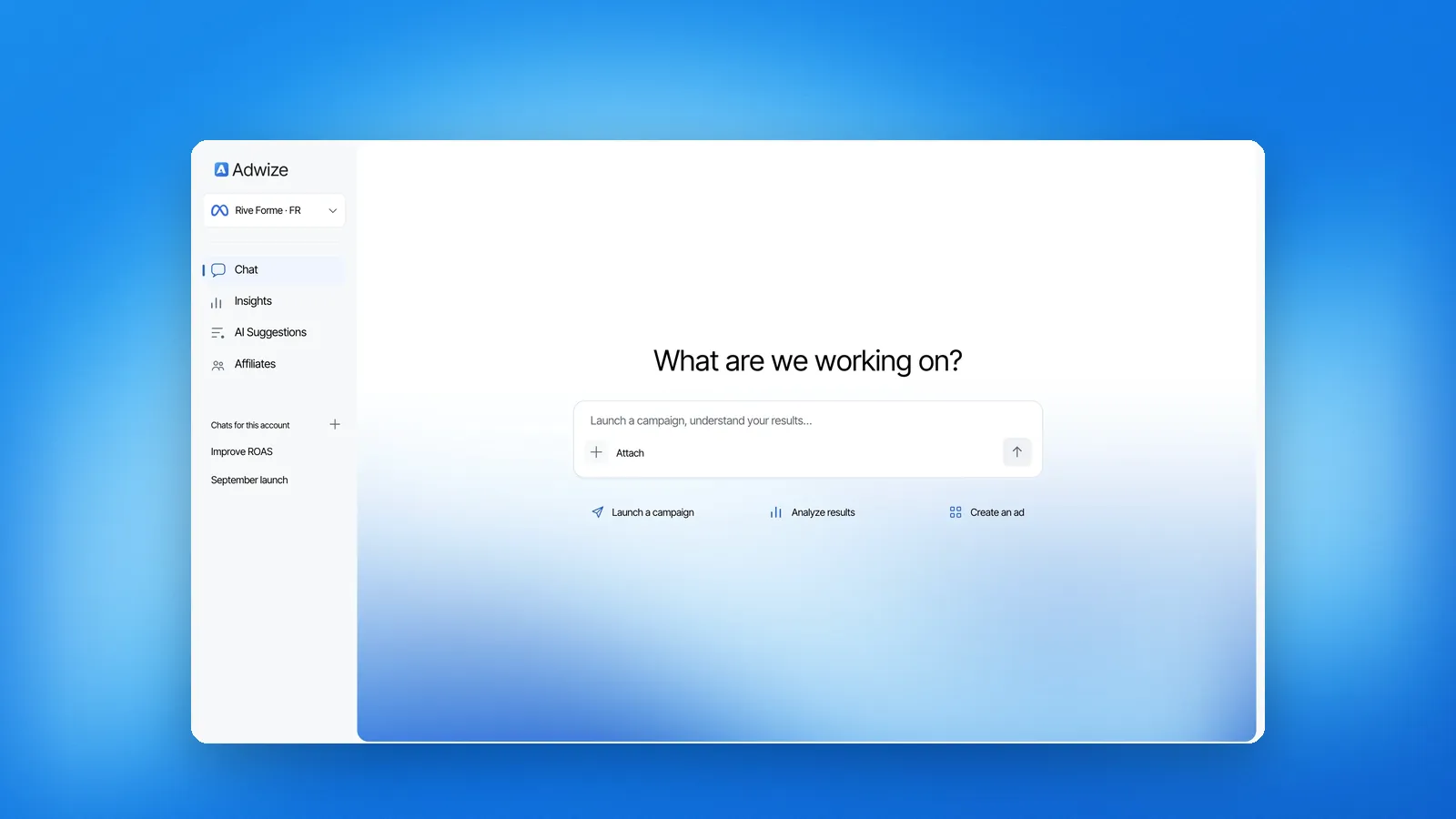
Adwize starts from your goal, with nothing to install. You describe what you sell, and Adwize prepares a full campaign, shown for approval before anything goes live. It then proposes changes you approve and applies rules you set, with 24/7 monitoring on Growth and Elite. Nothing spends until you approve.
- Pick Meta Ads MCP if you are a developer or media buyer who wants raw access and your own workflows in Claude or ChatGPT.
- Pick Pipeboard if you want one MCP login for Meta plus Google, TikTok, Snap or Reddit.
- Pick Adwize if you run Facebook and Instagram ads without a media buyer and want campaigns built from one sentence, with approval before spend.
- Use both if Adwize runs the daily work and Claude or ChatGPT answers one-off questions through the MCP. Keep the MCP at Read scope, so only one system changes the account.
For the wider market, see the best AI tools for Meta ads. To see what Adwize would prepare on your account, start a free trial. The campaign stays paused until you approve it.
| At a glance | Meta Ads MCP (official) | Pipeboard (source-available) | Adwize (agent) |
|---|---|---|---|
| What it is | Meta-hosted MCP server | Third-party hosted MCP server | AI agent for Meta ads |
| Setup | Add the URL to your AI client, sign in | Add the URL, sign in to Pipeboard | Sign up, connect your ad account through Meta |
| Networks | Meta only | Meta, Google, TikTok, Snap, Reddit | Facebook and Instagram |
| Price (checked 09/24/2026) | No fee listed by Meta | Free plan, then from $29.90/mo | From $97/mo, free trial with credits |
| Guardrails | Created paused, admin rules, your authorization | Write confirmation, new campaigns paused | Created paused, nothing spends before approval |
| Who drives | You, through prompts | You, through prompts | Adwize proposes, you approve |
| Best for | Developers and hands-on media buyers | Advertisers on several ad networks | Founders and small teams on Meta |
Frequently asked questions
Does Meta Ads have an MCP server?
Yes. Meta hosts an official ads MCP server at https://mcp.facebook.com/ads. It is part of Meta ads AI connectors, in open beta since April 29, 2026.
How do I add Meta Ads MCP to Claude?
In Customize > Connectors, click +, then Add custom connector, and paste https://mcp.facebook.com/ads. Sign in with Facebook and approve the permissions.
How do I connect an AI assistant to Meta Ads Manager?
Add Meta’s server address as a connector in ChatGPT, Claude, Claude Code or Perplexity, and sign in with Facebook. Or use an agent like Adwize, which connects through Meta’s official login.
Is Meta Ads MCP free?
Meta lists no fee for the server. You still pay Meta for your ads, and your AI client may need a paid plan.
Can using Meta Ads MCP get my ad account banned?
Meta’s help page says it is unlikely: using the server on its own does not put your account at risk. Bans come from breaking Meta’s advertising policies, whatever tool you use.
Is pipeboard’s meta-ads-mcp the same as Meta Ads MCP?
No. Pipeboard’s is an independent project with its own hosted server and plans. Meta’s official server lives at mcp.facebook.com/ads.
Sources
- Meta for Business: Introducing Meta Ads AI Connectors (April 29, 2026, updated July 16, 2026)Accessed 09/24/2026
- Meta Business Help Center: Manage ads from an AI agent with Meta ads AI connectorsAccessed 09/24/2026
- Meta for Developers: Ads MCP Server overviewAccessed 09/24/2026
- Meta for Developers: Ads MCP server, Get startedAccessed 09/24/2026
- Meta for Developers: Ads MCP server, Comprehensive reportingAccessed 09/24/2026
- Meta for Developers: Ads MCP server, Ad creation and managementAccessed 09/24/2026
- Meta for Developers: Ads MCP server, Catalog creation and managementAccessed 09/24/2026
- Meta for Developers: Ads MCP server, Signals and datasetsAccessed 09/24/2026
- Meta for Developers blog: Meta’s ads MCP server is now available for developers (July 16, 2026)Accessed 09/24/2026
- Meta for Developers: Connect AI agents to Meta with MCPAccessed 09/24/2026
- Meta for Developers: Ads CLIAccessed 09/24/2026
- Anthropic: Get started with custom connectors using remote MCPAccessed 09/24/2026
- OpenAI: ChatGPT developer modeAccessed 09/24/2026
- GitHub: pipeboard-co/meta-ads-mcpAccessed 09/24/2026
- Pipeboard pricingAccessed 09/24/2026
- Adwize: SecurityAccessed 09/24/2026
- Adwize: PricingAccessed 09/24/2026
