
Facebook video ads: how to make ones that work in 2026
How to make a Facebook video ad that earns its spend: the format for each placement, the opening seconds, captions and sound, and a clean way to test versions. Every rule comes from Meta’s own pages, read on September 24, 2026.
On this page · 10 sections
- What are Facebook video ads?
- What are the Facebook video ad specs by placement?
- What should the first 3 seconds of a video ad show?
- How do you make Facebook video ads in 15 seconds?
- Should you design for sound off or sound on?
- How do you add captions to a Facebook video ad?
- How do you test several versions of a video ad?
- Which numbers tell you a video ad works?
- When should you replace a video ad?
- How does Adwize help with video ads on Facebook?
Facebook video ads work when each cut fits its placement, reads without sound and shows its point in the first 3 seconds. Make two masters: 9:16 for Reels and Stories, and 4:5 for Feed, where the Meta Ads Guide recommends 1440 × 1800 pixels. Put the product or the benefit in motion in the opening 3 seconds with your brand visible, since Meta’s conversion testing guidance asks for animation there. Keep the main cut short: the same guidance calls 5 to 10 seconds ideal, with one benefit, a call to action and a consistent end card. Add captions so the message lands on mute, and add audio anyway, because Reels play with sound on by default. Then test one change at a time, the opening first, for at least 7 days, the minimum Meta recommends for A/B tests. Judge each version on cost per result, not on views. Each step below cites the Meta page it relies on.
TL;DR
- Cut two masters: 9:16 for Reels and Stories, 4:5 for Feed. Add 16:9 only if in-stream matters to you.
- Put the product or benefit in motion in the first 3 seconds, with your brand visible. Meta advises animating there.
- Keep the main cut short. Meta calls 5 to 10 seconds ideal for conversion tests, with a single benefit.
- Add captions for people watching on mute, and audio for Reels, which play with sound on by default.
- Test one change at a time, the opening first, for at least 7 days. Pick the winner on cost per result.
What are Facebook video ads?
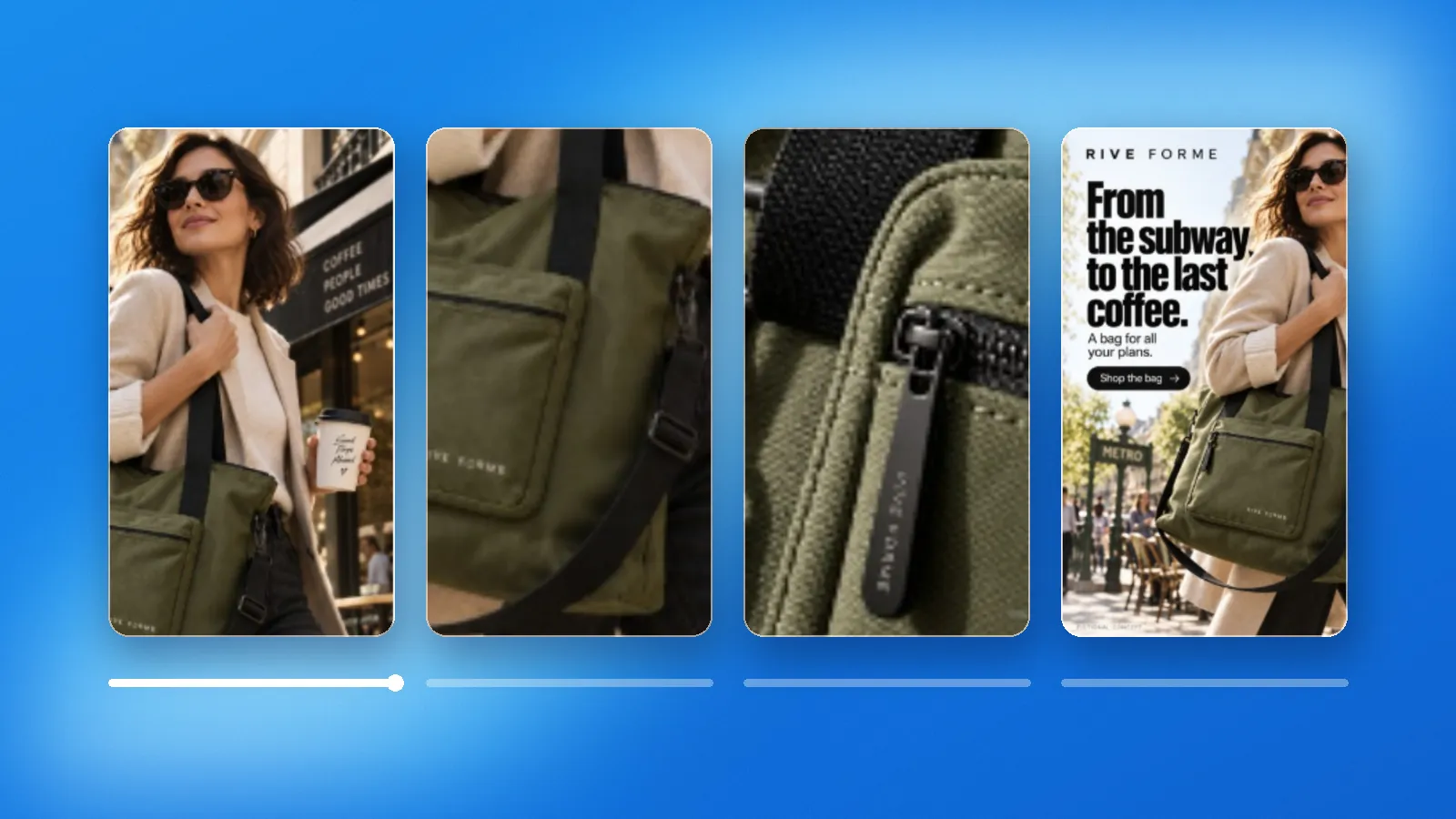
Facebook video ads are paid videos that play inside Facebook: between posts in Feed, full screen in Reels and Stories, and inside other videos as in-stream ads. You build them in Meta Ads Manager, and the same campaign can also deliver them on Instagram, Messenger and Audience Network when you use Advantage+ placements.
Meta presents video as a way to hold attention on mobile. In a study published in 2019, it reported that people’s eyes stayed longer on video ad assets than on static ones. Its current conversion testing guidance goes further: campaigns that ran both static images and video achieved conversion lift at a 17% higher rate than campaigns with static images alone.
So the question is rarely whether to run video. It is which video, cut for which placement, and how you find out which version pays. This guide answers those three in order, and names the Meta page behind each rule.
What are the Facebook video ad specs by placement?
Each placement wants its own frame. The Meta Ads Guide recommends 4:5 at 1440 × 1800 pixels for Facebook Feed, 9:16 at 1440 × 2560 pixels for Reels and Stories, and 16:9 or 1:1 at 1080 × 1080 pixels or more for in-stream. Video files go up to 4 GB, in MP4, MOV or GIF.
Length limits differ more than sizes. Feed takes 1 second to 241 minutes. Facebook Stories stops at 3 minutes and splits anything over 15 seconds into cards. Reels has no maximum. In-stream runs 5 to 15 seconds on desktop and up to 10 minutes on mobile, can be skipped after 5 seconds, and shows the first 15 seconds before a context card offers the rest.
In practice, build two masters, not one: a 9:16 version for Reels and Stories and a 4:5 version for Feed. Meta’s aspect ratio guidance says Ads Manager adjusts media to fit more placements, but it recommends uploading a 9:16 asset when Stories matters and reviewing automatic crops before you publish. Stop stretching one 16:9 file across every placement: Meta recommends 16:9 for in-stream only.
Keep text and logos away from the edges of vertical ads. For Reels, Meta advises leaving about 14% of the top, 35% of the bottom and 6% of each side clear, where the profile icon and the call-to-action button sit. Every other size, text limit and safe zone is on our Meta ads specs page.
| Placement | Ratio | Resolution | Length | Sound |
|---|---|---|---|---|
| Facebook Feed | 4:5 | 1440 × 1800 | 1 s to 241 min | Recommended |
| Facebook Reels | 9:16 | 1440 × 2560 | No maximum | Strongly recommended |
| Facebook Stories | 9:16 | 1440 × 2560 | 1 s to 3 min | Recommended |
| In-stream | 16:9 or 1:1 | 1080 × 1080 or more | 5 s to 10 min (mobile) | Strongly recommended |
What should the first 3 seconds of a video ad show?
The product or the benefit, already moving, with your brand on it. Meta’s conversion testing guidance tells advertisers to add animation in the first 3 seconds and to bring the benefit or the brand to life there. Ads Manager even reports 3-second video plays as a metric of their own.
Meta describes four simple video types, three of them built from one still image: basic, with one or two elements moving in the first 3 seconds; brand, with the logo brought to life; benefit, with the promotion, offer or product advantage animated; and demo, showing the product, app or website at work. Read them as a menu of openings to test.
Its mobile creative advice adds one rule: make your brand or message prominent at the beginning and/or the end of the video, because people flip through content quickly. So stop opening on a slow fade, an empty title card or a scene that only makes sense ten seconds later. Mid-scroll and on mute, the first frame has to work as a still image.

How do you make Facebook video ads in 15 seconds?
Write one idea, one benefit and one call to action, then fit them into 15 seconds or less. Meta’s conversion testing guidance calls 5 to 10 seconds ideal and asks for a single benefit, a call to action and a consistent end card. Its mobile advice is to trim longer videos to their most important 10 to 15 seconds.
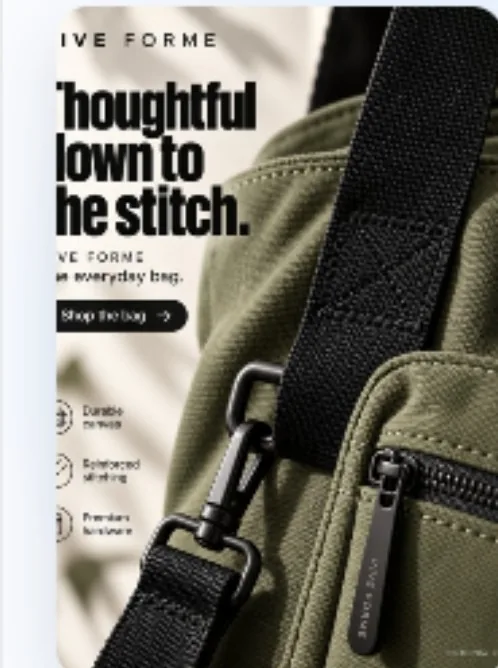
The structure below is an example, not a Meta rule: an opening that moves, one proof, the offer on screen and the same end card as your other ads. Cut a 15-second version for Feed and Reels, then a 6 to 10-second version from the same footage. You get two lengths to test without a second shoot.
Film for both crops. Meta recommends a vertical or square ratio because most people hold their phone upright, and 1:1 or 4:5 for conversion tests. Leave space around the subject so the 9:16 and 4:5 versions both keep the product in frame.
- Stop doing: long intros, three benefits in one ad, and an end card that changes from one ad to the next.
- 0 to 3 s: the product or the benefit in motion, brand visible, one line on screen
- 3 to 8 s: one proof, the product in use or a short demo
- 8 to 12 s: the offer, written on screen so it reads on mute
- 12 to 15 s: the call to action, on the same end card as your other ads
Should you design for sound off or sound on?
Both. The Meta Ads Guide lists captions and sound as optional but recommended for Facebook Feed, and sound as strongly recommended for Reels and in-stream. Meta says Reels play with sound on unless the viewer has turned it off, while its mobile advice is to add subtitles for people who watch with the sound off.
So write the video twice. First as a silent film: the product, the benefit and the offer must be clear from pictures and on-screen text alone. Then add the audio layer, a voice, music or product sounds, which carries the ad in Reels.
Meta’s Reels figures show why the audio matters. In a meta-analysis of 15 split tests, Reels-only campaigns that used 9:16 video with sound and key elements inside the safe zone had 34.5% lower cost per result than campaigns that used a still image. Stop relying on a voiceover to explain the offer: if someone on mute cannot tell what you sell after a few seconds, the ad is not finished.
How do you add captions to a Facebook video ad?
In Ads Manager, open the video in your ad, click Edit video, then Captions. You can upload your own SubRip (.srt) file or let Meta generate captions and review them line by line. Meta’s help page notes that automated captions are only available in English, and only on Facebook and Instagram.
Name the .srt file with its language and country code, for example ad_name.en_US.srt, or the upload fails. The Meta Ads Guide lists automatic captions as not supported for Reels ads, so upload an .srt file for Reels. Captions attach to the video, not to the ad: if the same video runs in several ads, changing its captions in one ad changes them in all of them.
Caption files are not the same as text burned into the picture. Burned-in text is part of your design and shows everywhere the video plays, so keep it large, short and inside the safe zone. A sound setup uses both: a few words of headline on screen, and full captions for the voice.
How do you test several versions of a video ad?
Change one thing per test, and start with the opening. Meta’s A/B testing guidance says results are more conclusive when versions are identical except for the variable tested. It recommends at least 7 days, allows 30 at most, and advises giving each version the same budget.
Film one body and several openings. Seconds 3 to 15 stay identical and only the first 3 seconds change, so any gap in results comes from the hook. Meta’s menu of basic, brand, benefit and demo openings gives you the variants.
Example, with illustrative numbers: a $60 bag, one 15-second body and two openings, a person walking with the bag or a close-up of the stitching. At $25 a day per version for 7 days, the test costs $350. If that budget cannot bring each version close to enough results to judge, test fewer versions, not shorter ones.
Use Meta’s A/B test for a decision you will build on: it splits the audience so nobody sees both versions, and Meta advises against testing informally by switching ad sets on and off. For quick hook checks, a few ads in one ad set are often enough; our guide to testing creatives without wasting budget covers that setup.
Which numbers tell you a video ad works?
Cost per result decides; the video metrics explain. Ads Manager’s video columns count 3-second video plays, ThruPlays (the video played to the end or for at least 15 seconds) and plays at 25%, 50%, 75% and 100% of its length. Use them to see where people leave, not to pick the winner.
A quick check for the opening: divide 3-second video plays by impressions. Example: 20,000 impressions and 5,000 3-second plays means 25% of impressions got past the start. The ratio is ours, not a Meta metric, but both numbers sit in Ads Manager, and comparing it between two openings shows which one stops the scroll.
Then read further down. A version that holds people to 75% but sells less has a strong story and a weak offer or landing page. A version with a high opening ratio and a poor cost per result hooks the wrong people. If a column name is unclear, the Meta ads glossary explains each one in plain words.
When should you replace a video ad?
When the same people have seen it too often and each result costs more. Meta shows “Creative fatigue” in the Delivery column once cost per result reaches twice that of your past ads, and “Creative limited” before that. Its fix is a new ad with an image or video materially different from the original.
The status only shows on ad sets with a single creative; elsewhere, track each ad’s cost per result. Meta also notes that keeping the original ad active, rather than pausing it, may maximize results. So add the replacement next to the tired ad instead of swapping it out. A new opening on proven footage is the cheapest first try; if the status stays, change more than the hook.
Keep two or three openings ready before the current one tires. The early signs to watch, and how to tell fatigue from a tracking problem, are in our guide to spotting ad fatigue.
How does Adwize help with video ads on Facebook?
Adwize handles the work around the footage. It creates ad creatives and copy in your brand style for each version you want to test, so the words around your footage arrive ready for your review. It then launches the campaign from one sentence, shown for your approval before anything goes live.
Once versions run, Adwize reads the results, flags what drifts and proposes changes you approve, such as pausing the opening that loses. On Growth and Elite, it also applies rules you set and watches the account 24/7, for example: alert me if cost goes over my limit three days in a row. The Create page shows the creative side, and the Optimize page how results are read.
Adwize works with Meta ads only, Facebook and Instagram, and changes nothing until you approve. Plans are billed monthly or yearly, and you can cancel anytime. To have it prepare your first campaign, get started with Adwize.
Frequently asked questions
What is the best size for a Facebook video ad?
It depends on the placement. The Meta Ads Guide recommends 4:5 at 1440 × 1800 pixels for Facebook Feed, 9:16 at 1440 × 2560 pixels for Reels and Stories, and 16:9 or 1:1 for in-stream.
How long should a Facebook video ad be?
Short. Meta’s conversion testing guidance calls 5 to 10 seconds ideal, and its mobile advice is to trim longer videos to the key 10 to 15 seconds. Facebook Stories splits videos over 15 seconds into cards.
Do Facebook video ads need captions?
Meta lists captions as recommended for Feed, Stories, Reels and in-stream. You can upload an .srt file or generate captions in Ads Manager; automated captions are only available in English and not supported for Reels ads.
Can I use one video for Feed, Reels and Stories?
You can, and Ads Manager will adjust it, but Meta recommends uploading a 9:16 asset when Stories matters and checking the automatic crops. Two masters, 9:16 and 4:5, cover most placements.
How long should I test a video ad?
At least 7 days. Meta says A/B tests shorter than that may be inconclusive, allows up to 30 days, and recommends the same budget for each version.
Sources
- Meta Ads Guide, video ads in Facebook FeedAccessed 09/24/2026
- Meta Ads Guide, video ads in Facebook ReelsAccessed 09/24/2026
- Meta Ads Guide, video ads in Facebook StoriesAccessed 09/24/2026
- Meta Ads Guide, video ads in Facebook in-streamAccessed 09/24/2026
- Meta, Creative best practices for conversion testingAccessed 09/24/2026
- Meta, Best practices for aspect ratiosAccessed 09/24/2026
- Meta, Best practices to make your ad more engagingAccessed 09/24/2026
- Meta for Business, 5 ways to optimize your ad creative for mobileAccessed 09/24/2026
- Meta for Business, Reels adsAccessed 09/24/2026
- Meta, Add captions to your video adAccessed 09/24/2026
- Meta, About video ad metricsAccessed 09/24/2026
- Meta, About A/B testingAccessed 09/24/2026
- Meta, Best practices for A/B testingAccessed 09/24/2026
- Meta, Creative fatigue recommendations in Meta Ads ManagerAccessed 09/24/2026